Step 1
1
Search from the popup
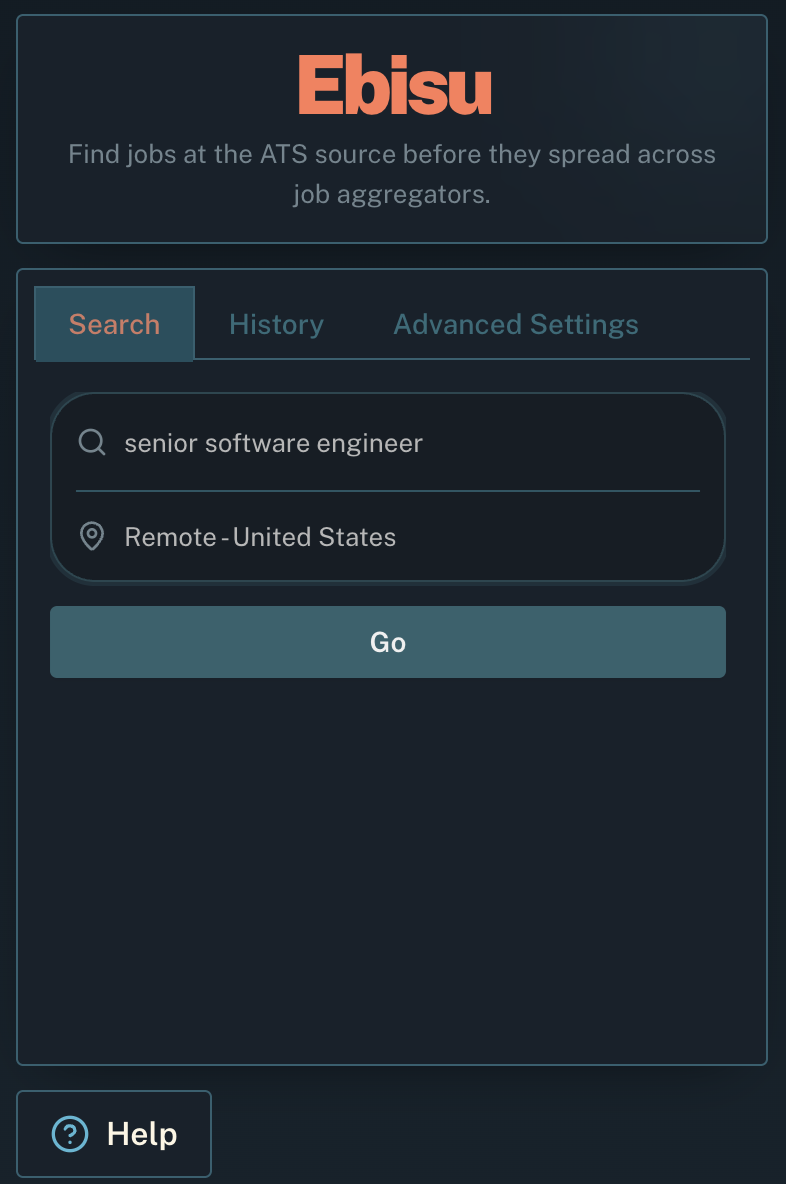
Enter the job description, enter the location, and click Go to launch a search across supported ATS sources.
 Ebisu
Ebisu
Ebisu surfaces openings directly from ATS source pages so you can discover fresh roles earlier and stay organized as you search.
Ebisu turns a plain role and location into ATS-source Google results, then helps you save the roles worth revisiting.
Enter the job description, enter the location, and click Go to launch a search across supported ATS sources.
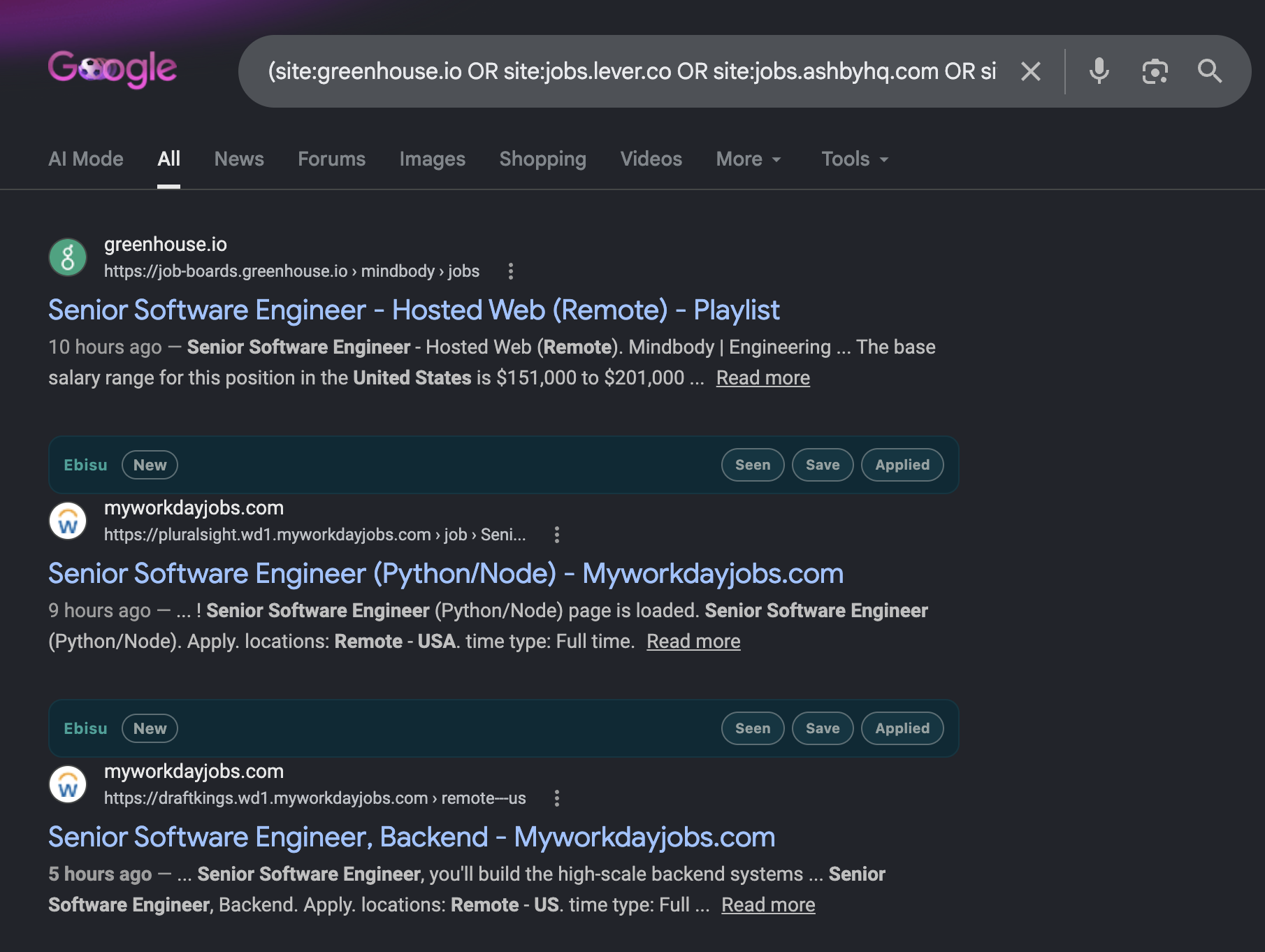
Google opens the direct Greenhouse, Lever, Ashby, and Workday results. Ebisu adds status controls inline so you can mark roles as seen, saved, or applied without losing momentum.
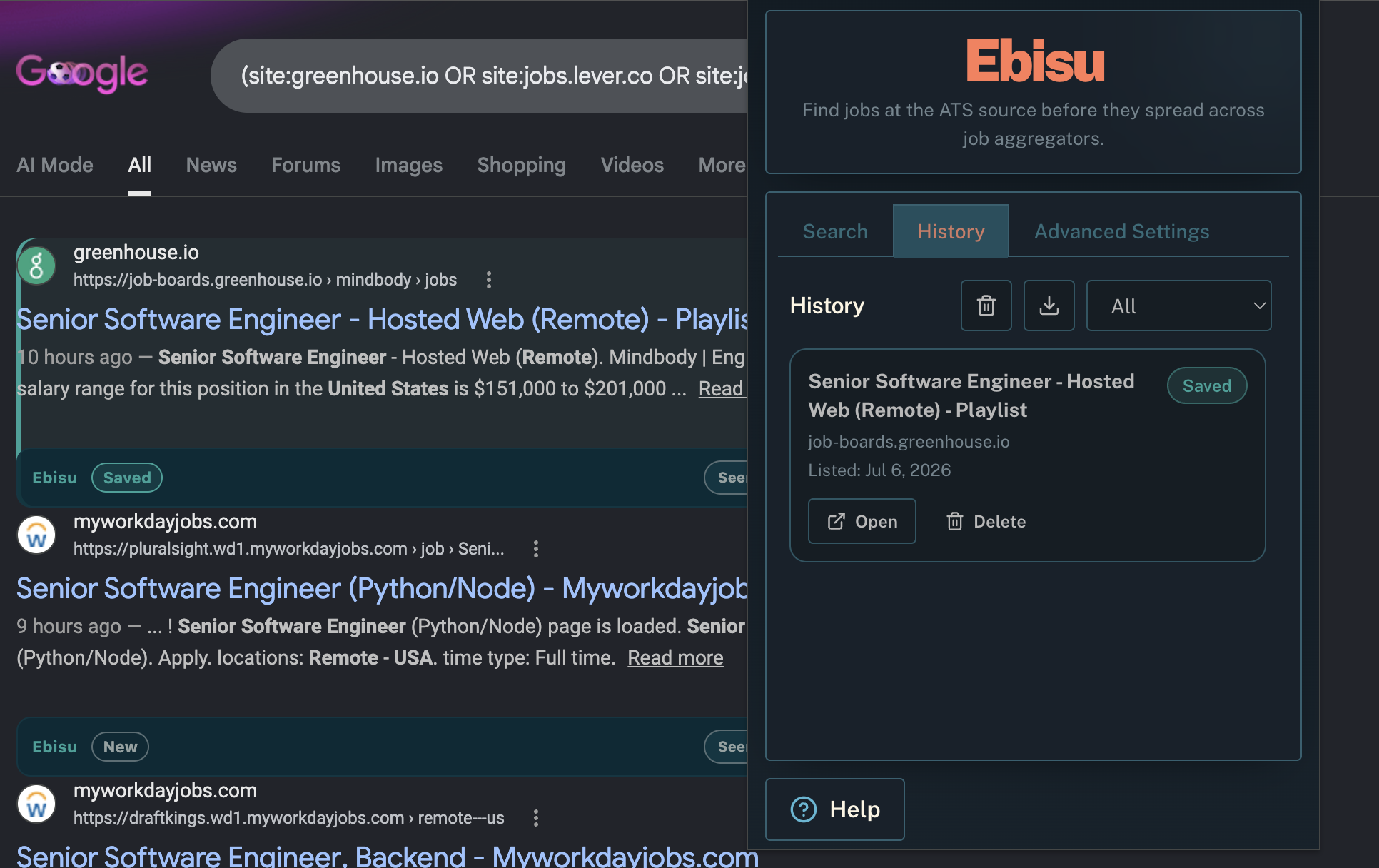
Saved roles stay inside Ebisu so you can reopen promising leads, clean up stale listings, and keep your search organized as you apply.
For any questions e-mail davidbourblog.autograph315@passinbox.com.